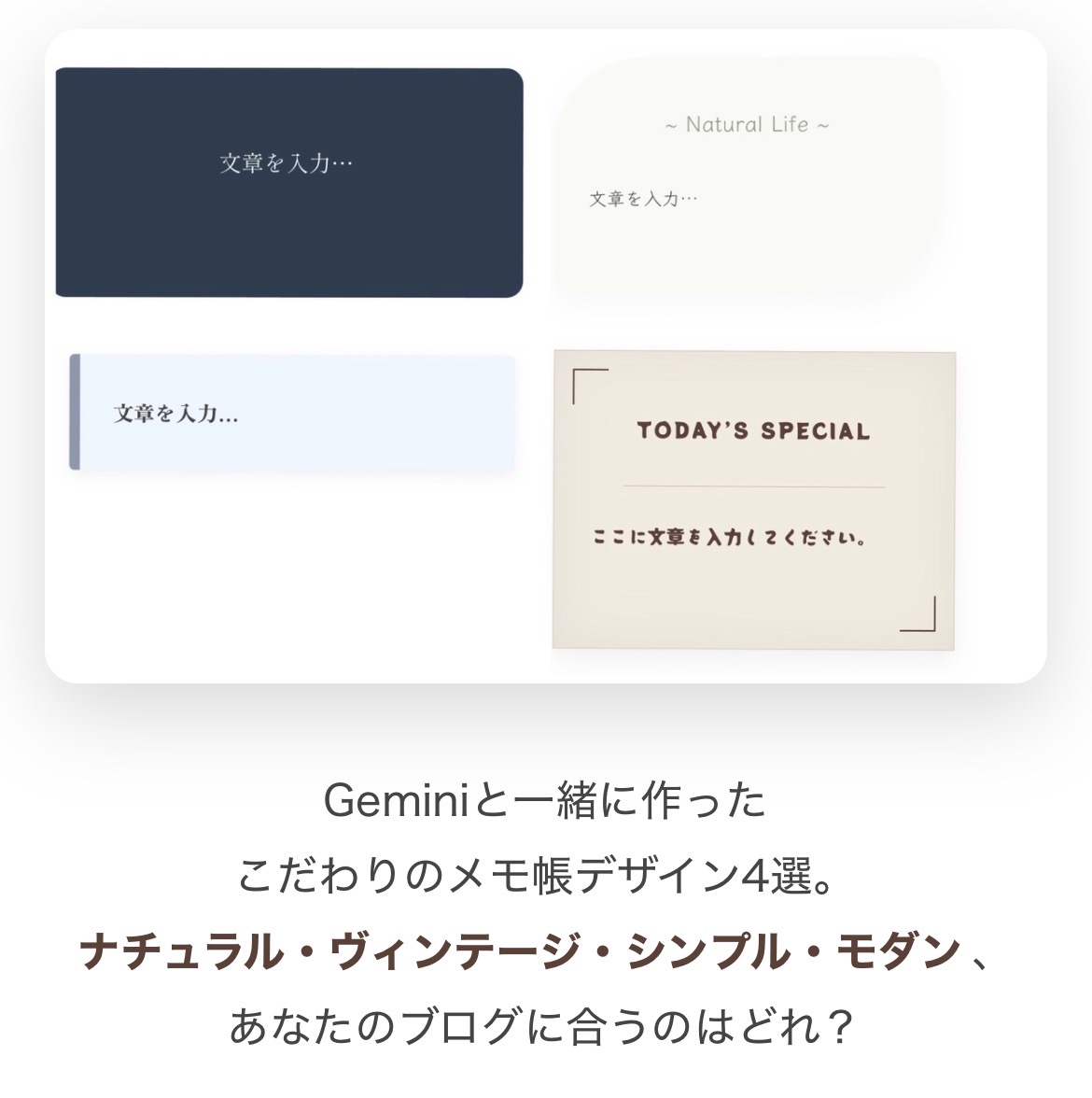
ブログ記事を彩る、ちょっとしたメモ帳デザイン。 シンプルなテキストに特別感をプラスしたい時、 手軽に使えるHTMLコードがあると便利ですよね。
このページでは、Google Geminiと一緒に考案した 4種類のオリジナルメモ帳デザインをご紹介します。 ナチュラル、ヴィンテージ、シンプル、モダン… あなたのブログの雰囲気に合わせて、ぜひご活用ください。
画像とコピーコードを並べているので、 気に入ったデザインを見つけたら、すぐに使えます。
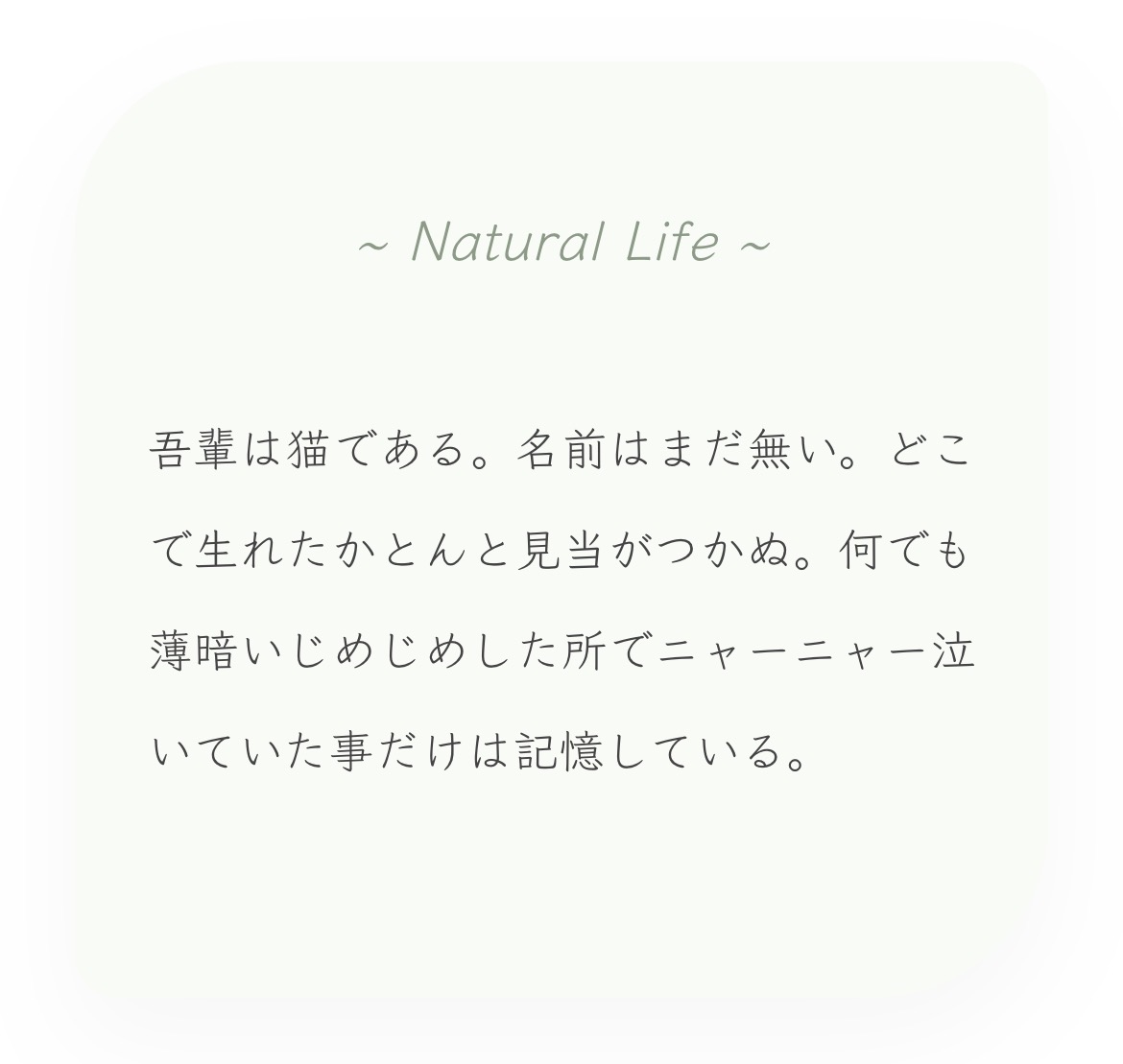
表示用HTMLコード
<link href="https://fonts.googleapis.com/css2?family=Klee+One&display=swap" rel="stylesheet">
<div class="m-card-01">
    <div class="m-inner-01">
        <p class="m-ttl-01">~ Natural Life ~</p>
        <p class="m-txt-01">文章を入力...</p>
    </div>
</div>
<style>
.m-card-01 { display: flex; justify-content: center; padding: 20px 10px; width: 100%; box-sizing: border-box; background: none; }
.m-inner-01 { max-width: 500px; width: 100%; padding: 40px 30px; background: #f9fbf7 !important; border-radius: 80px 20px; font-family: 'Klee One', cursive; text-align: center; box-sizing: border-box; box-shadow: 0 10px 25px rgba(0,0,0,0.03); border: none; }
.m-ttl-01 { font-size: 1.2rem; color: #8a9a85; margin: 0 0 20px; background: none; }
.m-txt-01 { font-size: 1rem; line-height: 1.8; color: #444; text-align: justify; word-break: break-all; margin: 0; background: none; }
</style>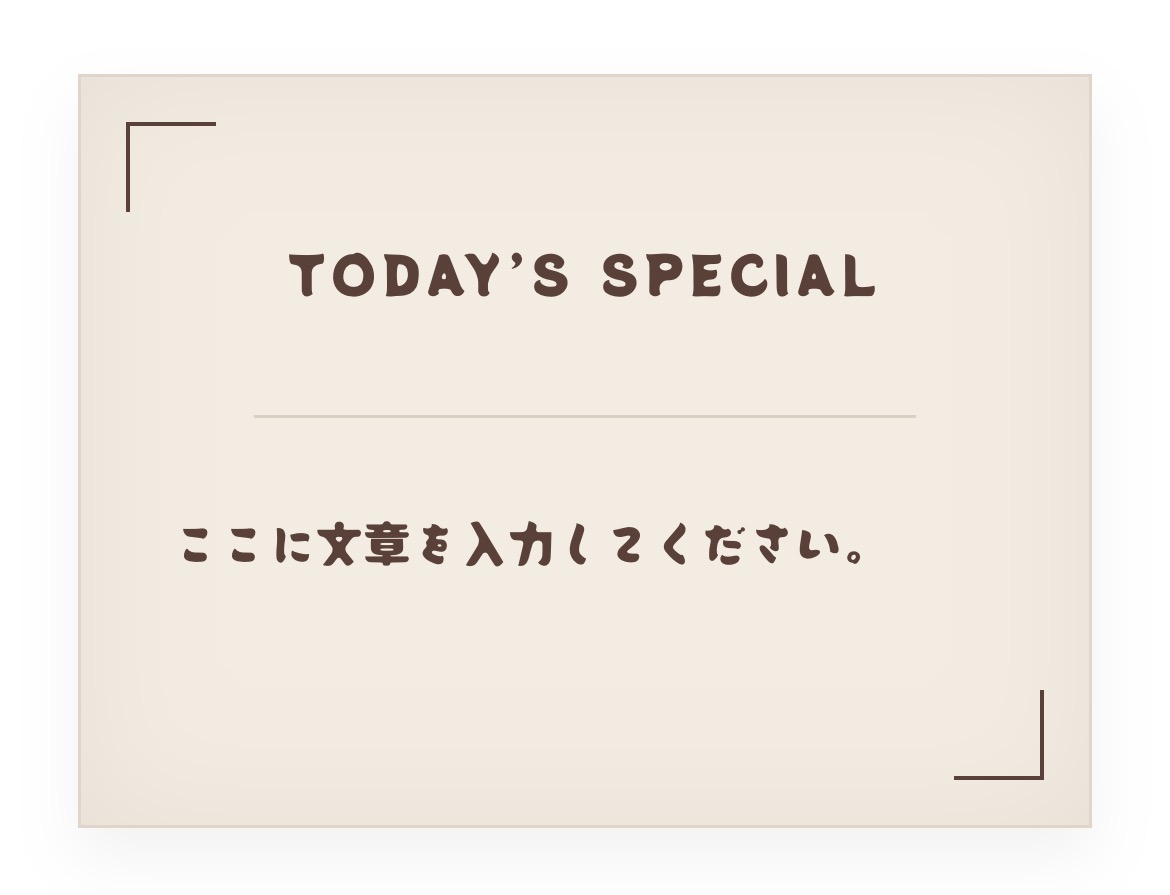
表示用HTMLコード
<link href="https://fonts.googleapis.com/css2?family=Potta+One&display=swap" rel="stylesheet">
<div class="m-card-02">
    <div class="m-inner-02">
        <div class="m-line-02 t-l"></div><div class="m-line-02 b-r"></div>
        <p class="m-ttl-02">TODAY’S SPECIAL</p>
        <p class="m-txt-02">文章を入力...</p>
    </div>
</div>
<style>
.m-card-02 { display: flex; justify-content: center; padding: 20px 10px; width: 100%; box-sizing: border-box; background: none; }
.m-inner-02 { position: relative; max-width: 500px; width: 100%; padding: 50px 30px; background: #f4ece1 !important; font-family: 'Potta One', cursive; text-align: center; box-sizing: border-box; border: 1px solid #e2d6c5; box-shadow: inset 0 0 40px rgba(0,0,0,0.05); }
.m-line-02 { position: absolute; width: 20px; height: 20px; border-color: #5d4037; border-style: solid; background: none; }
.t-l { top: 10px; left: 10px; border-width: 1px 0 0 1px; }
.b-r { bottom: 10px; right: 10px; border-width: 0 1px 1px 0; }
.m-ttl-02 { color: #5d4037; font-size: 1.1rem; margin: 0 0 15px; background: none; }
.m-txt-02 { color: #5d4037; line-height: 2; word-break: break-all; margin: 0; background: none; }
</style>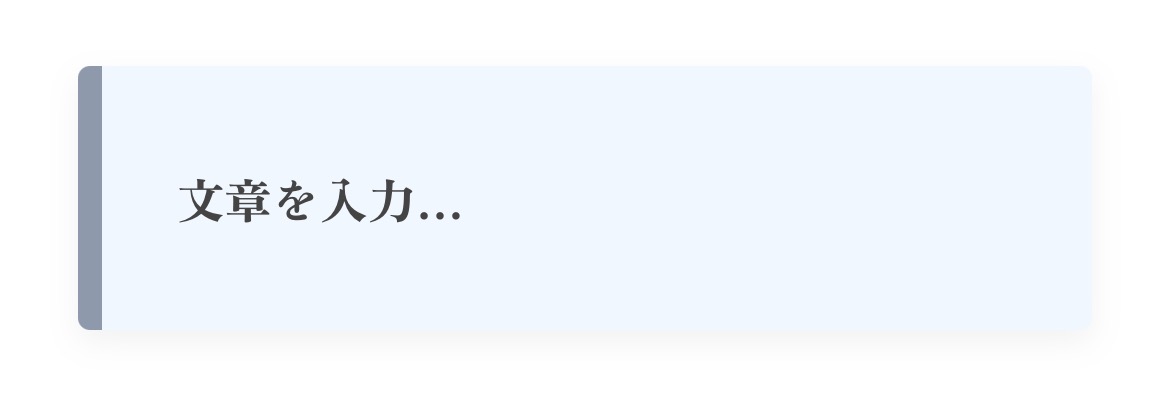
表示用HTMLコード
<!-- Google Fonts 読み込み -->
<link href="https://fonts.googleapis.com/css2?family=Zen+Antique&display=swap" rel="stylesheet">

<div class="simple-memo-box-03">
    <div class="simple-inner-03">
        <p class="simple-txt-03">文章を入力...</p>
    </div>
</div>

<style>
/* 全体の配置リセット */
.simple-memo-box-03 {
    display: flex;
    justify-content: center;
    padding: 20px 10px;
    width: 100% !important;
    box-sizing: border-box;
    background: none !important;
}

/* メモ帳本体:シンプルで壊れにくい設計 */
.simple-memo-box-03 .simple-inner-03 {
    max-width: 500px;
    width: 100%;
    padding: 30px 25px;
    background-color: #f0f7ff !important; /* ペールブルー */
    border-left: 8px solid #8d99ae; /* 左側のアクセントライン */
    border-radius: 4px;
    box-shadow: 0 4px 10px rgba(0,0,0,0.05);
    box-sizing: border-box;
}

/* テキストスタイル */
.simple-memo-box-03 .simple-txt-03 {
    font-family: 'Zen Antique', serif;
    font-size: 1rem;
    line-height: 1.8;
    color: #444;
    text-align: justify;
    margin: 0;
    background: none !important;
}
</style>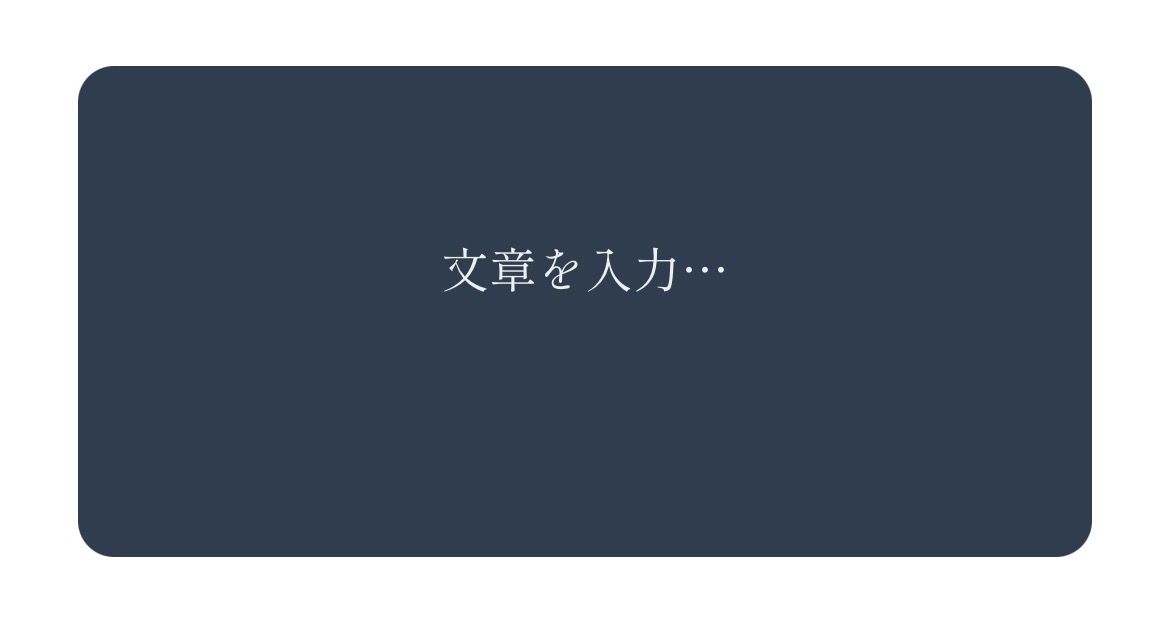
表示用HTMLコード
<link href="https://fonts.googleapis.com/css2?family=Shippori+Mincho&display=swap" rel="stylesheet">
<div class="m-box-04">
    <div class="m-inner-04">
        <p class="m-txt-04">文章を入力...</p>
    </div>
</div>
<style>
.m-box-04 { display: flex; justify-content: center; padding: 20px 10px; width: 100%; box-sizing: border-box; background: none; }
.m-box-04 .m-inner-04 { max-width: 500px; width: 100%; padding: 50px 40px; background: #2c3e50 !important; border-radius: 12px; color: #ecf0f1; text-align: center; font-family: 'Shippori Mincho', serif; box-sizing: border-box; border: none; }
.m-box-04 .m-txt-04 { line-height: 2.2; word-break: break-all; margin: 0; text-align: justify; }
</style>
ブログを彩る、あなただけのデザインメモ帳を!
今回は、4種類の異なるテイストのメモ帳デザインをご紹介しました。 どれもGoogle Fontsを使用しているため、 ブログに特別な設定は不要で、すぐに導入いただけます。
記事のアクセントとして、引用文の装飾として、 またはちょっとしたメッセージボードとして、 様々な場面で活用してみてください。
これらのデザインが、あなたのブログを より魅力的で読みやすいものにする一助となれば幸いです。
ご利用にあたってのお願い
- ✅ 画像の保存について
サンプル画像をご自身のブログで引用・利用される際は、画像を一度デバイス(iPhoneやPC)に保存してから、ご自身のWordPress等にアップロードしてご利用いただくようお願いいたします。 - ✅ 直リンクの禁止
当サイトの画像URLを直接貼り付けて表示させる(直リンク)行為は、サーバー負荷軽減のためご遠慮ください。 - ✅ コードの改変について
提供しているHTML/CSSコードは、ご自身のブログに合わせて色やフォントを自由に変更していただいて構いません。 - ⚠️ 免責事項
コードの利用により生じた万が一の不具合やトラブルについて、当サイトでは責任を負いかねます。導入はご自身の責任にてお願いいたします。
コメント